

- Log into the Employee Portal
- portal.succeedms.com
- Enter in your Employee Portal credentials User Name, Company ID, and Password
- If you are unable to locate your credentials, they can be found in the assigned training emails, or you can contact your Risk Management platform administrator.
- To view assigned training and documents, click on My Tasks tab
- The My Tasks menu shows upcoming tasks and completed tasks
- Upcoming Tasks show all the assigned training, documents and their due dates
- To complete an Assigned Training, click on the Training Title
- The Online training will open in a separate window. Read through the instructions and complete the online training.
Note: You can close out of a training and start from where you left off upon return. When you reopen the training to resume progress, you will see the following message.
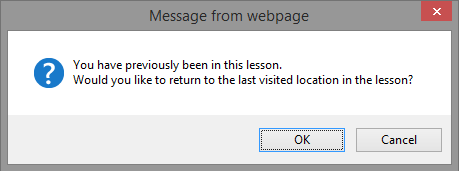
Make sure to click OK to resume from where you last left off. If you click Cancel, you will restart the training from the beginning.
Comments
0 comments
Please sign in to leave a comment.